
Microsoft has confirmed updated timelines for the deprecation of SMTP AUTH (Basic Authentication) in Exchange Online, reinforcing its long-term shift toward modern, secure authentication standards across Microsoft 365. While the change has been underway for several years, many organisations still rely on SMTP AUTH for everyday workflows, particularly scan-to-email from multifunction printers (MFPs).
This article explains what SMTP AUTH is, why Microsoft is deprecating it, how the change affects MFP scan-to-email, and which alternatives organisations should be planning for. The guidance is intentionally general-market and sector-agnostic, applying to any business using Microsoft 365, Exchange Online, and networked printers.
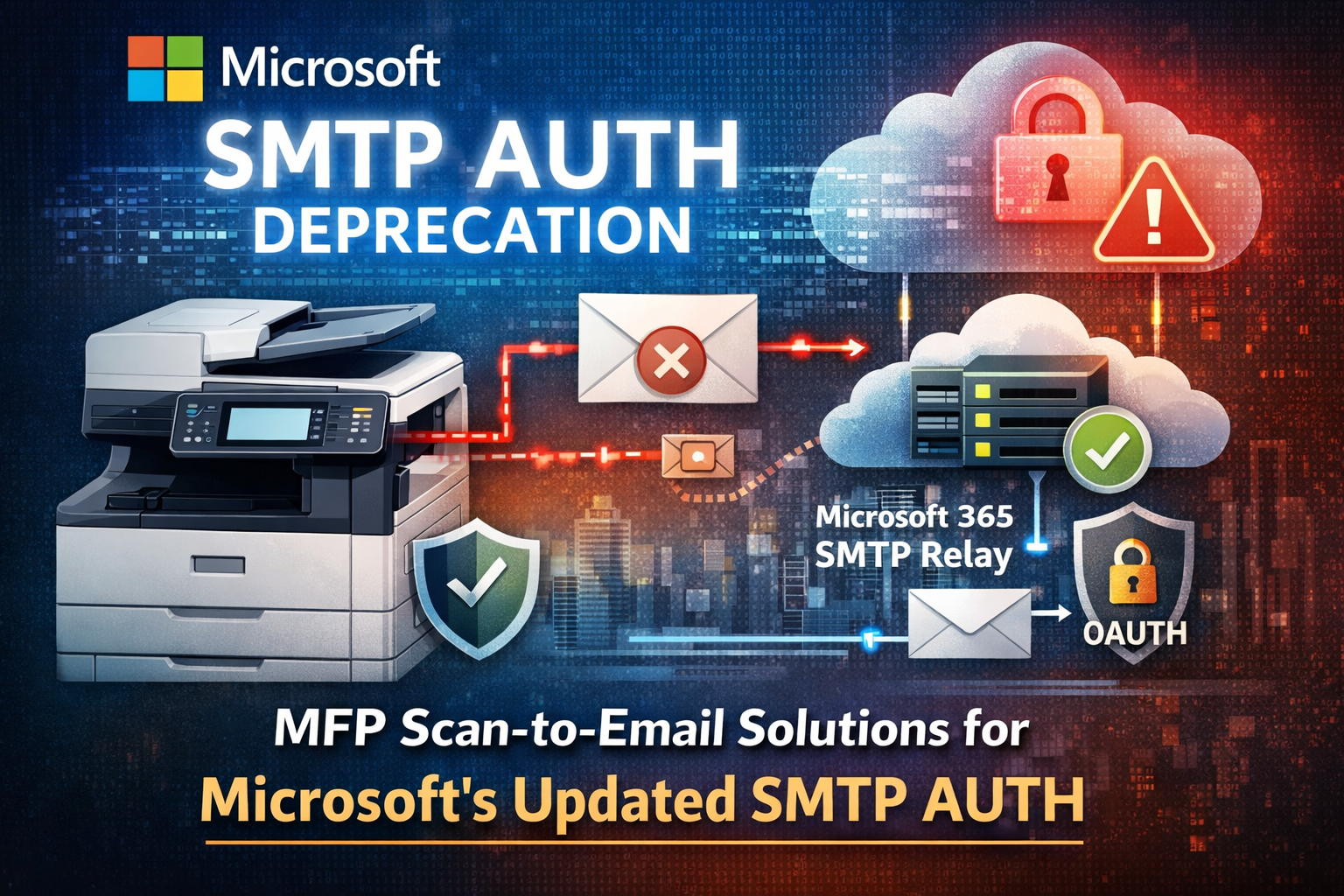
Microsoft’s Updated SMTP AUTH Deprecation Timeline
Based on customer feedback and adoption data, Microsoft has refined the SMTP AUTH deprecation roadmap for Exchange Online.
For existing Microsoft 365 tenants, SMTP AUTH continues to function today and will remain unchanged until December 2026. At that point, SMTP AUTH Basic Authentication will be disabled by default, although administrators will retain the ability to re-enable it temporarily if required.
For new Microsoft 365 tenants created after December 2026, SMTP AUTH Basic Authentication will not be available by default, and OAuth (Modern Authentication) will be the supported method. Microsoft has also confirmed that a final, permanent removal date for SMTP AUTH will be announced in the second half of 2027, giving organisations a defined window to modernise legacy configurations.
These changes apply across all Microsoft cloud environments and form part of Microsoft’s broader Zero Trust security strategy.
What Is SMTP AUTH and How Is It Used in Scan-to-Email?
SMTP AUTH is an authentication mechanism that allows a device or application to send email by presenting a username and password to an SMTP server. In print environments, this is commonly used for scan-to-email workflows.
In a typical configuration, an MFP scans a document, connects to Exchange Online, authenticates using stored credentials, and emails the scanned file as an attachment. While this approach has been reliable for many years, it relies on static credentials stored on devices, which creates security and management challenges at scale.
Why Microsoft Is Deprecating Basic Authentication
Microsoft is deprecating SMTP AUTH Basic Authentication because it no longer meets modern security requirements. Username-and-password authentication is vulnerable to credential theft, replay attacks, and misuse, and it cannot enforce advanced protections such as conditional access or risk-based controls.
By moving organisations toward OAuth and secure relay-based models, Microsoft reduces the attack surface across Microsoft 365 and encourages the retirement of legacy integrations that were never designed for today’s threat landscape.
How to Know If Your Organisation Is Affected
Most organisations are affected if their MFPs are configured to send email through Microsoft-hosted SMTP servers and have SMTP authentication enabled with stored credentials. Common indicators include printers pointing to Microsoft SMTP endpoints and requiring a username and password to send scanned documents.
Microsoft Entra ID sign-in logs can be used to confirm this. Entries showing SMTP as the protocol and Basic Authentication as the method particularly from IP addresses associated with printers indicate configurations that will be impacted as SMTP AUTH is phased out.
What Happens If No Changes Are Made?
When SMTP AUTH Basic Authentication is disabled, MFPs that rely on this method will no longer be able to authenticate to Exchange Online. Scan-to-email jobs will fail, often without clear user-facing explanations. In environments where scan-to-email is embedded into operational processes, this can result in disruption, increased support calls, and unplanned remediation work.
Because this change is driven by Microsoft’s security roadmap, it cannot be indefinitely postponed. Proactive planning and testing are essential.
Secure Alternatives to SMTP AUTH for MFP Scan-to-Email
Microsoft supports two primary alternatives for maintaining scan-to-email functionality in a secure way, along with modern approaches that reduce reliance on email entirely.
The most widely adopted option is Microsoft 365 SMTP Relay. This model removes the need for usernames and passwords on MFPs by authenticating devices based on trusted network locations. Security is enforced using TLS encryption, static public IP address validation, and Exchange Online mail flow connectors. SMTP Relay scales well, works across mixed printer fleets, and centralises configuration, making it the preferred choice for many organisations.
Another option is OAuth-based authentication directly on the MFP. OAuth uses token-based authentication and aligns fully with Microsoft’s modern identity framework. However, support depends on printer manufacturer and firmware, configuration is typically performed per device, and a licensed Microsoft 365 mailbox is usually required. As a result, OAuth is often better suited to smaller or more standardised printer environments.
Some organisations also take the opportunity to modernise further by adopting scan-to-workflow solutions that remove SMTP from the process altogether. In these models, scanned documents are routed directly into secure platforms rather than being emailed, reducing dependency on SMTP as a transport mechanism.
Where Xerox Workplace Cloud Fits Into the SMTP AUTH Transition
For organisations looking to move beyond traditional scan-to-email, Xerox Workplace Cloud can play a role in reducing long-term reliance on SMTP-based workflows.
Instead of sending scanned documents directly from the MFP to Exchange Online, Xerox Workplace Cloud enables devices to upload scanned documents securely to a cloud platform. Document delivery whether to email, Microsoft 365 services such as SharePoint or OneDrive, or other destinations, is then handled by the cloud service using modern authentication methods.
This approach removes the need for SMTP AUTH credentials to be stored on the printer itself and aligns well with Microsoft’s security direction. It also reduces device-level complexity and can improve control, visibility, and auditability of scan workflows.
However, Xerox Workplace Cloud is not a universal replacement for SMTP in all environments. Organisations with mixed-vendor printer fleets or continued reliance on native scan-to-email may still require Microsoft 365 SMTP Relay or OAuth-based configurations alongside workflow platforms. As such, Xerox Workplace Cloud is best viewed as one component within a broader print and document strategy, rather than a standalone fix.
Planning a Practical Transition
A successful transition away from SMTP AUTH begins with auditing existing MFP configurations and identifying where Basic Authentication is in use. From there, organisations can select the most appropriate replacement model based on device capability, network design, and operational requirements.
Testing changes well ahead of Microsoft’s deadlines ensures continuity and avoids last-minute disruption as authentication defaults change.
How Nustream Can Help
Nustream supports organisations through Microsoft’s SMTP AUTH deprecation by taking a vendor-neutral, architecture-led approach to print and document workflows. As a provider of managed print services, Microsoft 365-aligned print solutions, and secure document workflow design, Nustream helps organisations assess risk, modernise configurations, and implement supported alternatives.
This includes designing secure Microsoft 365 SMTP relay architectures, enabling OAuth on compatible devices, and evaluating workflow platforms such as Xerox Workplace Cloud where appropriate. Nustream also supports mixed MFP environments, ensuring consistent behaviour across vendors while aligning with Microsoft’s long-term security roadmap.
The result is a resilient, secure scan-to-email and document workflow environment that continues to operate smoothly as Microsoft authentication standards evolve.
Frequently Asked Questions About MFP Scan-to-Email Solutions for Microsoft’s SMTP AUTH Deprecation
How does Microsoft’s SMTP AUTH deprecation affect MFP scan-to-email in Microsoft 365?
Microsoft’s deprecation of SMTP AUTH Basic Authentication directly impacts multifunction printers (MFPs) that use stored usernames and passwords to send scan-to-email through Exchange Online. When SMTP AUTH is disabled by default, devices configured with Basic Authentication will no longer be able to authenticate to Microsoft 365. As a result, scan-to-email jobs will fail unless printers are reconfigured using a supported alternative such as Microsoft 365 SMTP Relay or OAuth-based authentication.
What is the best alternative to SMTP AUTH for multifunction printers using Exchange Online?
For most organisations, Microsoft 365 SMTP Relay is the most practical and widely adopted alternative to SMTP AUTH. SMTP Relay removes the need to store credentials on printers and instead secures email delivery using IP-based authentication and TLS encryption. This approach works well across mixed printer fleets and does not require a licensed mailbox per device. OAuth-based authentication is also supported but depends on device compatibility and firmware support.
When will SMTP AUTH stop working in Microsoft 365 and what should organisations do before the deadline?
Yes. Microsoft 365 SMTP Relay is a supported replacement for SMTP AUTH Basic Authentication in Exchange Online. Instead of authenticating with a username and password, devices are validated using trusted public IP addresses and secure mail flow connectors. This removes credentials from multifunction printers while maintaining reliable scan-to-email functionality. SMTP Relay is often the most scalable and secure option for organisations with multiple devices.
Does Xerox Workplace Cloud solve SMTP AUTH deprecation for printers?
Xerox Workplace Cloud can reduce reliance on SMTP AUTH by shifting scan workflows away from direct printer-to-email delivery. In this model, scanned documents are securely uploaded to a cloud platform, which then handles document distribution using modern authentication methods. However, it is not always a complete replacement for SMTP in mixed-vendor environments. Many organisations use Xerox Workplace Cloud alongside Microsoft 365 SMTP Relay or OAuth to create a stable, hybrid solution aligned with Microsoft’s security roadmap.
Can Microsoft 365 SMTP Relay replace Basic Authentication for scan-to-email?
Yes. Microsoft 365 SMTP Relay is a supported replacement for SMTP AUTH Basic Authentication in Exchange Online. Instead of authenticating with a username and password, devices are validated using trusted public IP addresses and secure mail flow connectors. This removes credentials from multifunction printers while maintaining reliable scan-to-email functionality. SMTP Relay is often the most scalable and secure option for organisations with multiple devices.
Source: Nustream UK
Title: MFP Scan-to-Email Solutions for Microsoft’s SMTP AUTH Deprecation
Author: Nustream Marketing Team (Verified Business Publisher)
Published: 2026
Category: Managed Print Services / Microsoft 365 / Print Security / Technical Trends
This article was written and reviewed by managed print and Microsoft 365 specialists at Nustream, an official Xerox Partner delivering managed print services, secure print solutions, and document workflow technologies to organisations across Hampshire and the UK.
All insights are based on Microsoft Exchange Online guidance, industry best practice, and Nustream’s real-world experience supporting organisations through authentication changes affecting MFP scan-to-email and print infrastructure.